Installer
Recommended for most beta users. Installs UltraCodey for the current Windows user and supports the signed updater flow.
- Version
- Loading
- Size
- Loading
- SHA-256
- Loading
- File
- Loading
 UltraCodey
Sign in
UltraCodey
Sign in
Windows open beta
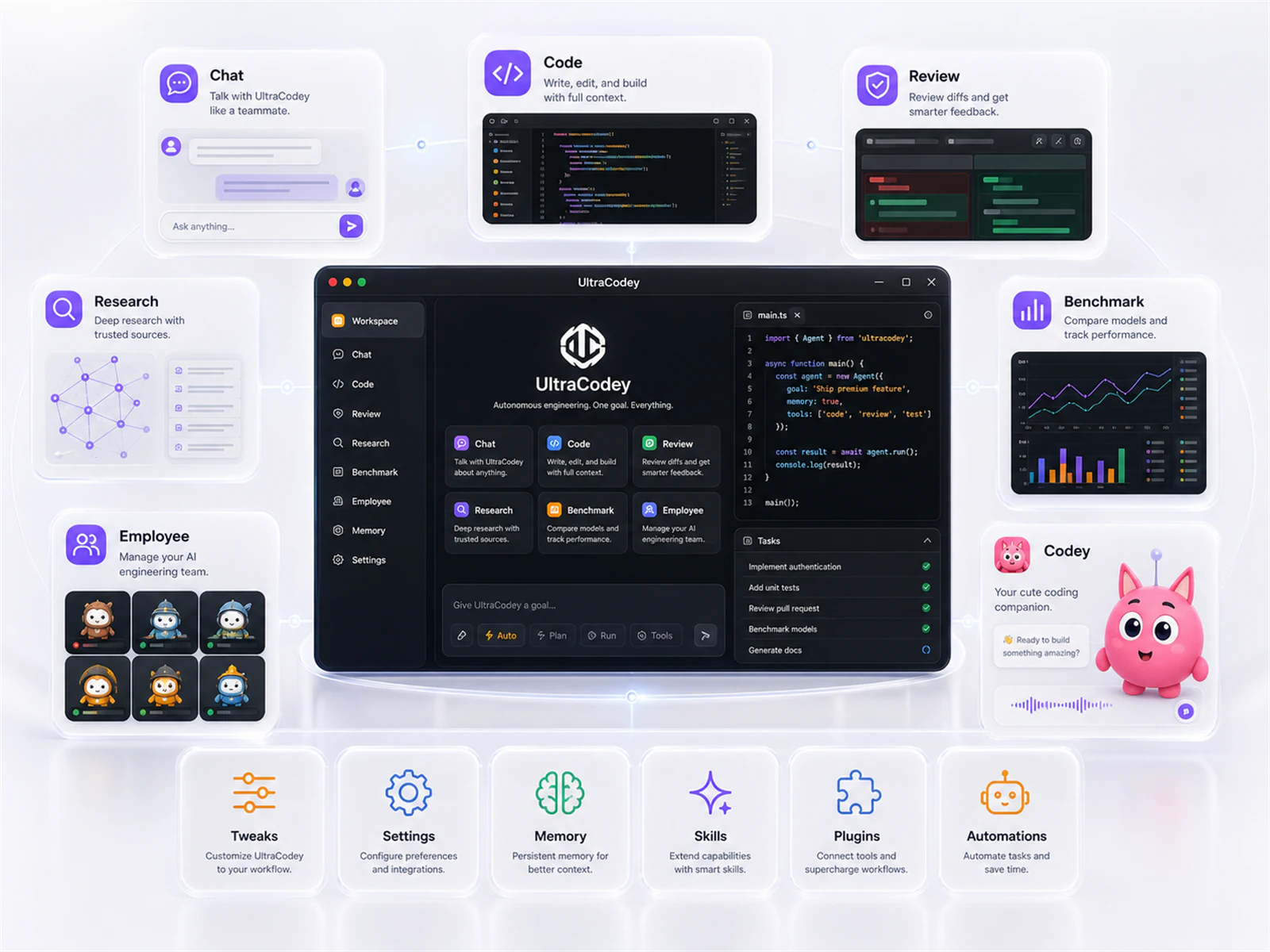
UltraCodey is free. Pro ($5/month) adds Ultra Mode, the AI Employee, Reverse Engineering, and parallel best-of-N.
Get the desktop app, sign in with your UltraCodey account, and start using the full engineering workspace. Choose the standard installer, MSI package, or portable build.
Checking account state and release artifacts.
Recommended for most beta users. Installs UltraCodey for the current Windows user and supports the signed updater flow.
For managed Windows environments and repeatable deployment. Use this when your setup prefers MSI packaging.
A no-install executable for quick trials or locked-down machines where a full installer is not the right fit.
The installer updater path is signed and verified by the desktop app. This page also shows SHA-256 hashes when the release publisher has uploaded the download manifest.
Open UltraCodey, sign in with the same account, connect a model provider, then choose a project folder and start a run.